
Attorney Software: Key Features For Law Firm Case Management

Legal practice management software centralizes the administrative, calendaring, and document tasks associated with handling legal matters. These systems typically bring together case files, contact records, deadlines, billing entries, and communications into a single environment so that team members can find matter-related information without switching between unrelated tools. Functionality often includes searchable matter records, secure storage for pleadings and correspondence, task lists linked to cases, and audit trails for access. The emphasis in such systems is operational consistency and traceability rather than any single workflow, and implementations can vary by firm size and practice area.
Implementation approaches may include cloud-hosted services, on-premises deployments, or hybrid arrangements that combine local storage with remote services. Integration points commonly involve email systems, calendar platforms, document editors, and accounting ledgers to reduce duplicate data entry. Administrative controls such as role-based access and encryption at rest and in transit are frequent design elements intended to protect client confidentiality and comply with applicable professional rules. Selection and configuration often reflect trade-offs between customization, ease of use, and the technical resources available to a firm.
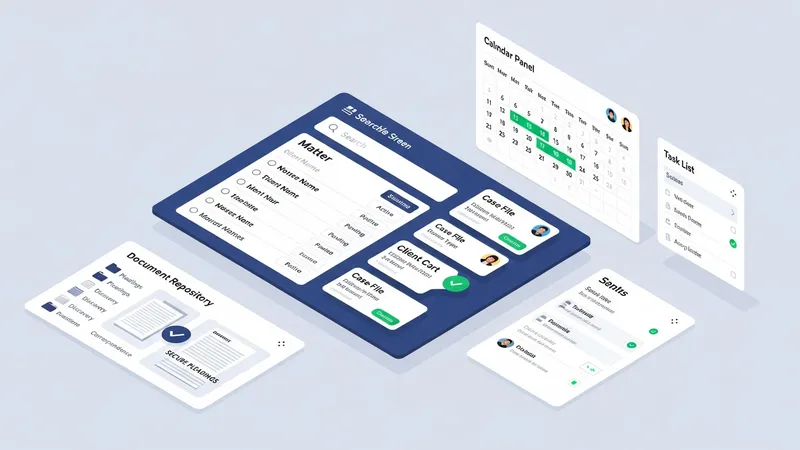
- Case management module: centralizes matter intake, case history, contacts, deadlines, and docket entries for coordinated matter-level tracking.
- Document management system: handles secure storage, version control, templates, and search functionality for pleadings, contracts, and correspondence.
- Time and billing engine: captures billable and non-billable time, creates invoices, manages trust accounting features where required, and records payment histories.
- Calendaring and task manager: supports court deadline tracking, reminders, shared task lists, and conflict-aware scheduling tied to matters.
- Client communication portal: provides secure messaging, document sharing, and limited client-facing access to matter status and invoices.
- Workflow automation and reporting: defines repeatable sequences of tasks, automates routine document generation, and produces management reports on utilization and matter progress.
Many firms view the case management module as the structural backbone because it links people, matters, and deadlines; however, the practical emphasis can shift depending on firm priorities. For example, a small litigation practice may prioritize calendaring and e-filing integration, while a transactional firm may rely more heavily on document templates and approval routing. When assessing feature sets, it is common to map core firm processes to software capabilities to identify gaps that may require custom configuration or additional tools. This mapping may often clarify which workflows will benefit most from automation.
Document organization and search capabilities can significantly affect daily efficiency by reducing time spent locating files. Effective systems often provide metadata tagging, full-text search, and revision histories that can simplify collaboration and reduce risks of working from outdated files. In some configurations, document automation tools generate routine filings from stored templates, which may lower repetitive drafting time for frequently used forms. Attention to naming conventions and consistent folder structures may further improve the usefulness of these features over time.
Time tracking and billing functionality typically integrates with matter records so entries are automatically associated with the proper client and matter codes. Firms often choose between strict timer-based capture and manual entry models, or a combination of both, depending on billing policies and user habits. Billing modules may support flexible invoice layouts and trust accounting controls necessary for jurisdictions with fiduciary requirements. Financial reporting tied to billing modules can also inform budgeting and resource allocation when used consistently.
Security, compliance, and backup features often shape procurement decisions because client confidentiality is a primary concern. Systems commonly include user authentication controls, activity logs for audits, data encryption, and backup policies that can be aligned to a firm’s risk tolerance. Firms may also evaluate retention and deletion policies to meet regulatory or ethical obligations. Data protection practices may affect whether a firm prefers a managed cloud service that handles security operations or retains more hands-on control with on-premises solutions.
In summary, a comprehensive software approach for legal practice typically combines matter tracking, document management, calendaring, billing, and communication capabilities into a coordinated environment. Selection and configuration decisions often reflect trade-offs among customization, usability, security, and cost. The next sections examine practical components and considerations in more detail.