
CRM For Small Business: Key Features, Functions, And Use Cases

Reporting, data organization, and common use cases for CRM in small business
Reporting in small-business CRM tends to focus on actionable summaries: pipeline health, activity counts, and basic revenue-related snapshots. Dashboards commonly present deal totals by stage, recent activity per team member, and simple trend lines for lead volume. Data organization supports these reports through consistent fields, tags, and date-stamped activities. For teams without dedicated analysts, the emphasis is often on readable visuals and exportable data for further examination in spreadsheets when needed.
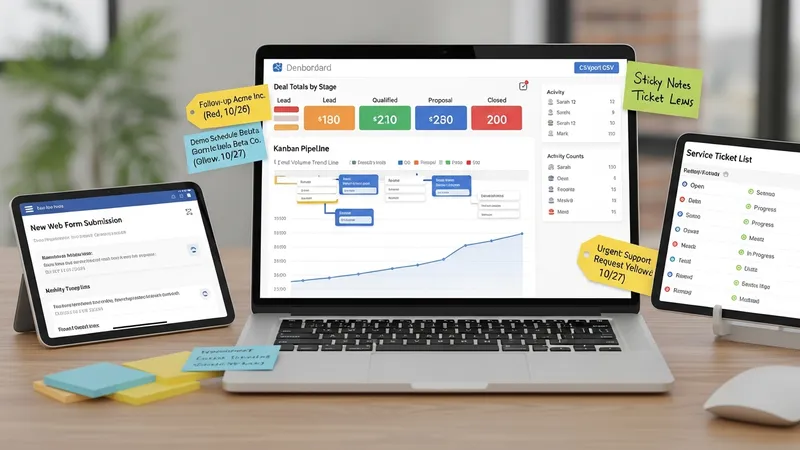
Common use cases for CRM in small businesses include lead capture and qualification, service ticket tracking, repeat-customer management, and simple marketing follow-up. In practice, a CRM can be configured to accept inbound leads from web forms, assign a qualification task, track subsequent proposals in the pipeline, and then record post-sale interactions for customer support. These workflows illustrate how a relatively small set of features can cover multiple business needs when data is structured and processes are consistent.
Data organization strategies that may help small teams include using a limited set of standardized tags, keeping required fields compact, and periodically merging duplicate records. Standardization reduces ambiguity in reporting and makes automation rules more reliable. Regular maintenance—such as monthly reviews of recently added records or checking for badly formatted contact information—can extend the practical usefulness of CRM data without requiring large resource investments.
When evaluating reporting and use cases, small businesses often consider the effort required to collect and maintain data versus the clarity gained from the reports. Paying attention to a few meaningful metrics and aligning those metrics with daily operational tasks can make CRM reporting more actionable. Continuing practical review of workflows and data structures may help ensure the CRM remains aligned with changing customer interactions and business priorities.